One link in bio, in Thai and in English
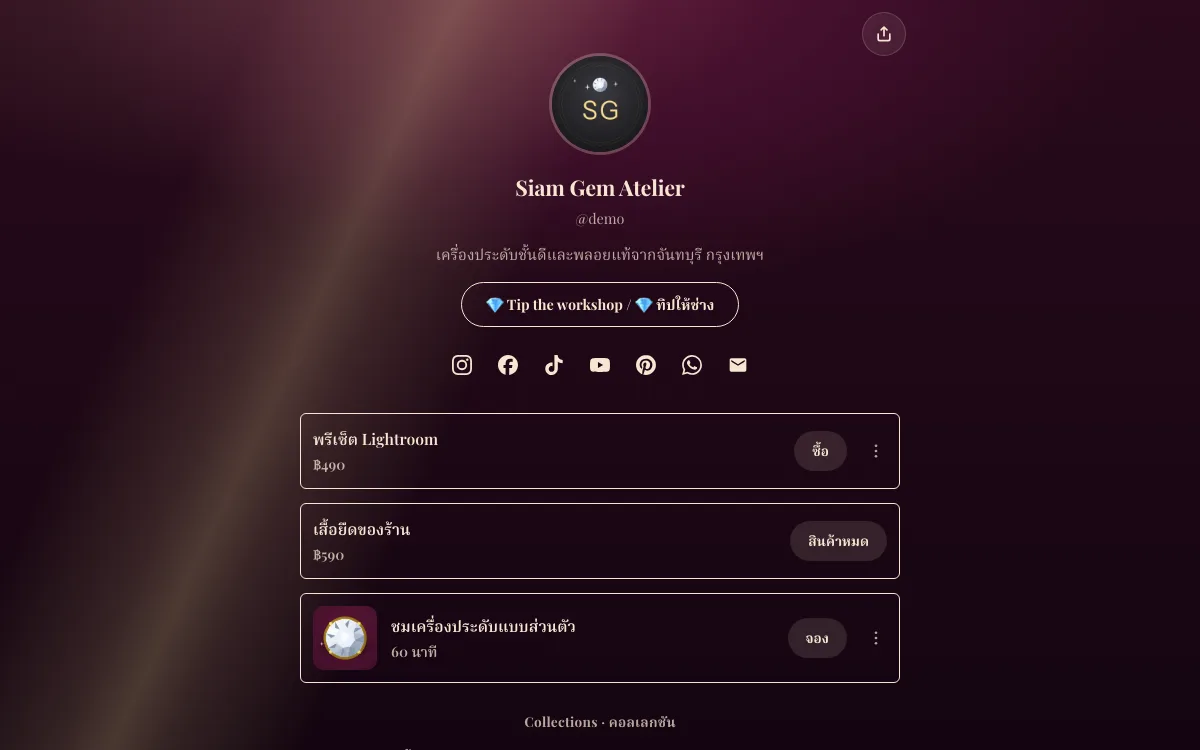
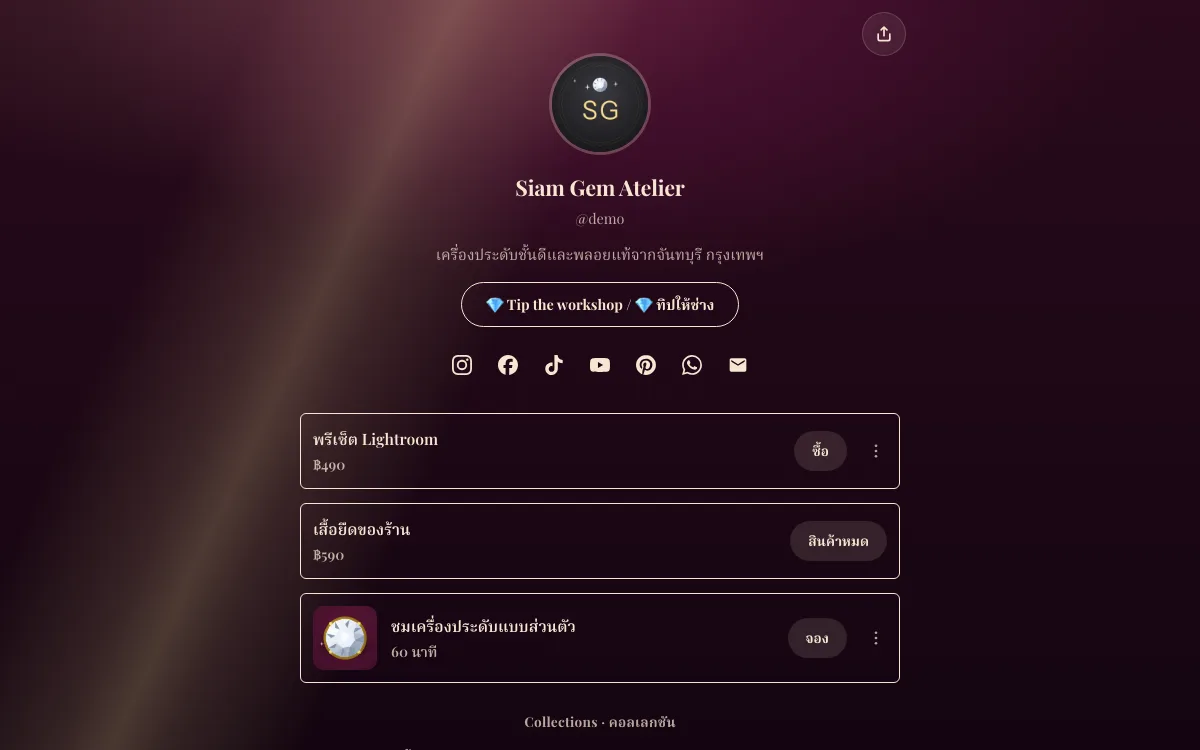
Write your page once, in Thai or in English. One tap and AI drafts the other language: your bio, every block title and your booking services. You read and edit the draft before anything is saved, and from then on Thai visitors read Thai and everyone else reads English, with a switch at the bottom of the page. Your own words are never overwritten.
Updated 6 Nov 2026
How it works
- Step 1
Write your page
Your bio, links and booking services, in the language you write best.
- Step 2
Translate my page
On the Links screen, pick Thai or English. AI drafts every line; nothing is saved yet.
- Step 3
Check it and save
Edit any line, leave one empty to keep your own words there, and save. Change a line later and visitors see your new text until you translate again.
What you get
Your page in Thai and English
FREEAI drafts your bio, block titles and booking services in the other language. You check and edit it before it is saved, and each visitor reads the language they speak.
Unlimited links on 86 themes
FREELinks, section headers, formatted text, FAQs, pricing tables, maps and countdowns with no cap. Switch themes any time; your links and your address stay.
Online bookings
FREEServices with their length, buffers and minimum notice; weekly hours set once; open times shown in each client’s own time zone for online sessions and in your local time for in-person ones, with a calendar invite (.ics). 100 bookings a month on Free; Business makes it unlimited and adds Google Calendar sync.
Bookings through LINE, no Official Account
BUSINESSThailandClients tap “Continue with LINE” and get their confirmation and reminder as LINE messages headed with your name, from a shared account. Connecting your own OA is optional.
Views and clicks
FREEPage views, unique visitors, clicks and CTR per link and the devices people use, over 7 or 30 days compared with the period before. Business adds longer periods, referrers, countries, browsers and UTM campaigns.
QR codes that never expire
FREEA QR code for your page and for every short link, in your colours with an optional frame and label, as PNG or SVG. No ads, no expiry.
Your own domain
BUSINESSRun your page on a domain such as links.yourshop.com with automatic HTTPS. It serves your booking page and short links too.
Free vs Business
On every plan
- Your page in Thai and English
- Unlimited links on 86 themes
- Online bookings
- Views and clicks
- QR codes that never expire
On Business
- Bookings through LINE, no Official Account
- Your own domain
Bookings on every plan: 100 a month on Free, unlimited on Business ($9 / month · $90 / year). See pricing
Free to start. First month free on Business ($9 / month) or Studio ($19 / month) · cancel anytime
Compare before you choose
Questions
- Which language do visitors see?
- The one they read in: a visitor whose phone is in Thai, or who is in Thailand, sees Thai; others see English. Anyone can switch at the bottom of the page, and the choice is remembered.
- Does it change what I wrote?
- No. The translation is kept next to your own text, never over it. Remove it any time and the page is as you wrote it.
- What gets translated?
- Your bio, the title of every block (links, headers, products) and your booking services’ names and descriptions.
- What if I edit a line later?
- Visitors see your new text there until you translate again; the Links screen says how many lines changed.
- Which plan do I need?
- Every plan, Free included. You can translate your page a few times a day.
Your page, ready today
Claim your name and use it right away, free on Free. Your first month is free on either paid plan.